For me, a prototype is useful only when real users can work through it according to their own goals and needs, find it clear and intuitive, and get done what they came to do. The first prototype I generated with AI failed that test. It looked polished and arrived in minutes, yet it had been built without our users’ goals in mind, and the reason was on our side of the screen. We had given the model a topic instead of a goal, and it had delivered exactly what we asked for.
That moment shaped everything that followed. Claude Code has since become part of how our UX team prototypes for client pitches and discovery work, and almost all of the improvement came from two levers, how we brief it and how we check its output. The model works toward whatever the brief describes, and it stops when the work looks done, so the quality of a prototype depends on how clearly we define the goal and how concretely we let the model test itself against it.
When Anthropic released Claude Opus 5.5, we read its model-specific prompting guide alongside the Claude Code best practices and rebuilt our workflow around both levers. Three facts about the new model shaped the changes:
- Opus 5.5 always thinks before it answers and defaults to medium effort, and in Anthropic’s testing that level matched or beat Opus 5 at high effort on coding and knowledge-work evaluations, which meant reasoning was no longer something we had to request in our prompts.
- It generates output more than 30 percent faster than Opus 5, which made trying several directions affordable.
- It reads screenshots and diagrams accurately enough that the images we hand it can now carry as much of the brief as the words do.
What follows is our workflow in five phases, from brief to review, with the documentation behind each decision.
Phase 1: Brief like a research plan
Every prototype starts from a brief card with five fields. We frame it around the decision the prototype should support, the same way we'd frame a usability study, and a session starts only once all five are filled in:
| Field | Weak | Strong |
|---|---|---|
| Decision it supports | "A loyalty app" | "Can first-time users redeem a reward without help?" |
| Who clicks it | "Users" | "5 participants in a moderated test, on mobile" |
| Fidelity | Unstated | "Greyscale, system font, image placeholders, real copy" |
| Scope | "The app" | "Onboarding, card wallet, reward detail, redeem, confirmation. No login." |
| Acceptance | "Looks good" | "Main path fully clickable at 375px and 1440px, with a screenshot per screen" |
Acceptance is the field Anthropic's guidance speaks to most directly. In its section on long unattended runs, the Opus 5.5 guide suggests stating the completion condition up front. Claude Code's documentation explains why: Claude stops when the work looks done, and without a check it can run, that impression is the only signal it has. Observable criteria give it something concrete to test against.
Claude Code can enforce this for you. Set the acceptance criteria as a /goal condition, and a separate evaluator re-checks it after every turn while Claude keeps working until the goal is met.
For bigger prototypes, we let Claude write the card. Anthropic's Claude Code guide recommends starting with a minimal prompt and having Claude interview you with its AskUserQuestion tool before it writes a spec. We save the result as SPEC.md, and it becomes the brief card every later step refers to.
In our experience, the interview reliably surfaces the states teams forget: empty lists, errors, first-time versus returning users.
Phase 2: Set up the workspace once
Claude Code reads a CLAUDE.md file at the start of every session. That makes it the place for rules that apply to every prototype, and also the place where teams most often hurt quality. Anthropic's documentation warns that a bloated CLAUDE.md causes Claude to ignore your actual instructions. Its test for each line is simple: would removing it cause Claude to make mistakes?
Ours is six lines:
# Prototype house rules
- Static HTML/CSS/JS in /site. No build step.
- Colours, type and spacing come only from design/tokens.md.
- Placeholder content is realistic for the market and language.
- Mobile (375px) and desktop (1440px) are both first-class.
- Screenshot both widths after every change.
- Scope comes from the brief card. Anything extra needs my approval.
Three other pieces live outside that file:
- The design system goes into a skill. Skills live in
.claude/skills/and Claude loads them only when they're relevant, so a full component library stays out of sessions that don't need it. - Figma connects through MCP. After
claude mcp add, Claude can read frames directly, which is more reliable than a description of them. - Claude needs a browser to take screenshots. The screenshot rule only works if Claude can render the page. Claude Code can drive Chrome through its Claude in Chrome integration, or you can let it install a headless browser such as Playwright and script the captures. Set this up once and the screenshot checks in Phase 5 run without you.
When the house rules drift, /doctor has Claude propose cuts to a checked-in CLAUDE.md.
Phase 3: Plan the screens and the flow first
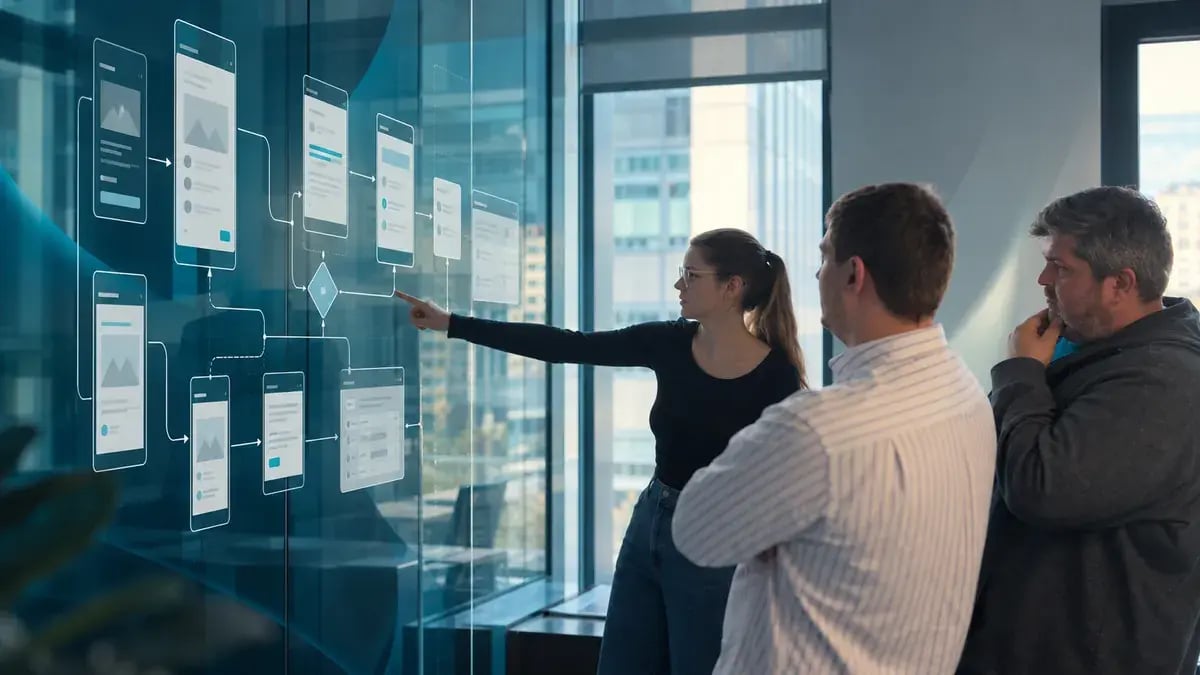
Claude Code's official workflow is explore, plan, implement, commit. Plan mode (Shift+Tab, or claude --permission-mode plan) lets Claude read the brief and references and propose a plan without touching any files.
We ask plan mode for three artifacts and review them the way we'd review a junior designer's IA:
- A screen inventory, with the purpose of each screen in one line.
- A flow map of the main path plus two alternatives, including where users can go back or drop out.
- An interaction list that marks what must really work and what can stay static.
We edit the plan directly (Ctrl+G opens it in your editor) and approve it once the IA holds up. It's far cheaper to fix a flow at this stage than after the screens have been built around it.
Then we start a fresh session for the build. Anthropic recommends this after a spec is written: the new session has clean context focused entirely on implementation.
Phase 4: Build
Give it the real material
Anthropic reports that Opus 5.5 reads charts, diagrams and screenshots considerably more accurately than Opus 5, including details that depend on position, such as which boxes an arrow connects or what changed between two versions of a diagram. So we attach the sketch, screenshot or flow itself and say what it's for, because the same image can be read in different ways. A sketch is structure to keep. A screen from the current product is content to keep, with a layout to rethink. A competitor screen is a reference for one named pattern, and no branding or copy carries over. For dense specs, Anthropic notes that higher-resolution images help.
Avoid the default look
Anthropic's guide documents that, without direction, Opus 5.5 falls back on a few default frontend styles. It also notes that a general instruction to avoid a generic look mostly trades one default for another. The guide's fix is to name the specific patterns to exclude and to iterate.
We run that as a mini design critique. After the first screen, Claude lists every visual choice it made that the brief didn't ask for. We keep a running exclusion list per client, for example:
Exclude: decorative gradients, oversized hero sections, emoji in UI labels, centred body text, more than one accent colour, rounded-full buttons. Prefer: 8px grid, dense information layout, rectangular controls, tokens only.The positive half matters as much as the exclusions. For client work, the client's design system is the strongest direction of all, and we tell Claude it outranks its own taste.
Treat effort as a budget
With thinking always on, Anthropic describes effort as the main setting for trading quality against latency and cost, and notes that lowering effort reduces thinking more reliably than prompt instructions do. In Claude Code you change it with the /effort command, for example /effort high; Opus 5.5 starts at medium. We've taken lines like "think step by step" out of our prompts entirely and set effort per task:
| Work | Effort |
|---|---|
| Copy, colour, single-screen fixes | low |
| Building approved screens | medium (default) |
| Multi-flow logic, data-heavy dashboards | high |
| Only after a measured quality gap | xhigh / max |
Phase 5: Check the work
Screenshots as the test suite
For UI work, Anthropic's Claude Code guide gives a specific pattern: implement the design, take a screenshot of the result, compare it with the original, list the differences and fix them. Prototypes rarely have automated tests, so the screenshots do that job, and we ask for them as part of every delivery. Anthropic recommends having Claude show evidence of what it checked, because looking at a screenshot is faster than repeating the check yourself.
[paste the reference] Build this screen. Screenshot your result at 375px and 1440px, compare it with the reference, list the differences and fix them. Show me the final screenshots.Track progress in a file
On long tasks, Opus 5.5 sometimes ends a turn with a progress update while work is still open. Its prompting guide recommends keeping the task's parts in a checklist the model updates. We use a SCREENS.md table with each screen's status and screenshot path, so anyone on the team can see where the build stands, and Claude can pick up from it after a break or a fresh session.
Independent review
Before a prototype goes to a designer or a client, a subagent reviews it against the brief card. Anthropic recommends this kind of check because a reviewer working in a fresh context sees only the result and the criteria you give it, so it judges the work on its own terms. It also warns that a reviewer asked to find gaps will usually report some, and chasing every one leads to over-engineering. Our review prompt reflects both points:
Use a subagent to review the prototype against SPEC.md. Check that every screen and listed interaction exists, both breakpoints render, and nothing outside the brief was added. Report only gaps that affect the brief.When to start over
Claude Code's guidance sets a clear threshold. If you've corrected Claude more than twice on the same issue, the context is cluttered with failed attempts, so run /clear and start again with a better prompt that includes what you learned. We also commit to git after each approved round. Inside a session, /rewind (or pressing Esc twice) restores the conversation and code to an earlier checkpoint, though it only tracks edits Claude made itself, so git remains the real safety net.
The research still belongs to us
The biggest change for our team is how cheaply we can be wrong. Getting a direction to a clickable state used to be the slow part of discovery. Now we can put several directions in front of real users early and let what they do settle the debate.
The research itself hasn't changed. Someone still has to frame the right question, recruit the right participants and notice the moment a user hesitates over a button. That work depends on people who know the users and the business, and it's still most of what makes a prototype worth building.
We review this workflow every time Anthropic updates its guidance. If your product team is moving prototyping into Claude Code, I'm happy to compare notes.
Human perspective, AI-assisted writing. AI helped me write this article, not decide what to think. The research, validation, critical judgment, and final conclusions are mine. Every opinion expressed here reflects my own perspective and experience.
Sources: Anthropic, Prompting Claude Opus 5.5; Anthropic, Best practices for Claude Code.